Dropbox Backup Review

Updated: February 05, 2013
ProsDropbox is a clear leader in the online cloud syncing world
Consshared items take up space in both users Dropbox folder
Bottom LineDropbox continues to be one of the worlds leading cloud syncing provider. Their cloud utility is great if you like using a sync folder.
User reviews
1 reviews
Dropbox works well for a backup syncing applicatio
After several months of using Dropbox I have enjoyed their free service. It’s very fast, easy and accessible. I use it primarily for documents that I may need at any given time at any point of time or place.
It’s good because I have images and documents that are important that do not take up very much space that I can not live without. On the other hand, the free storage limitation keeps me from storing any real large files. I work with video formats so sometimes it would be nice to do store larger files.
Another good aspect of Dropbox is it’s syncing ability. It works pretty seamlessly on multiple types of devices while keeping them all up to date. Dropbox charges more for it’s syncing ability so don’t be too surprised that the amount of storage is kind of small.
Otherwise they work great for me. It gives me peace of mind knowing my files are backed up.
Pros and Cons
fast
great software
accessible
no phone support
Backup Company Info:
- Windows
- Mac Apple
- Linux
Personal Backup Plan
Support Options


Company Details
Notable Features:
- Sync all files in one folder rather than select any files or folders
- Easy to use
- Free 2GB plan
- No phone support
- Works with Windows, Mac and Linux
Company Highlights:
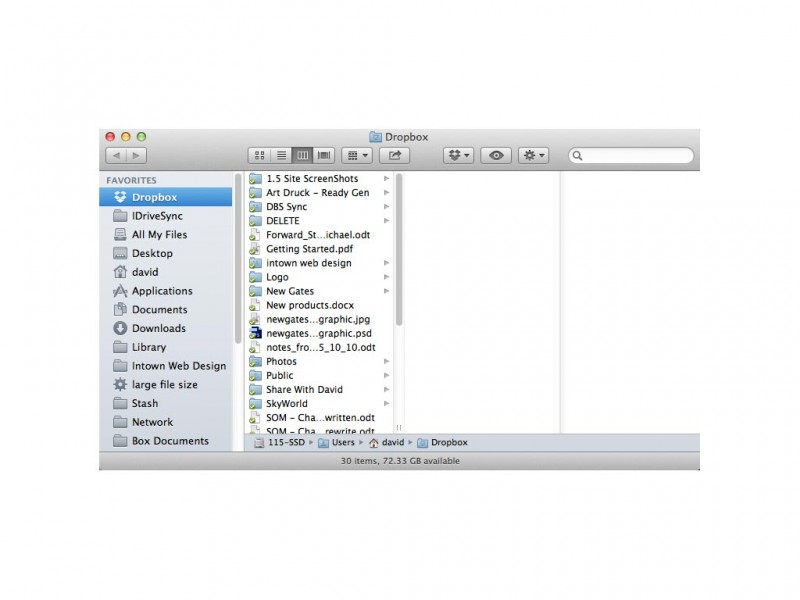
Dropbox is a syncing service that backs up your data and syncs it with all connecting devices. Installing it is easy, but all files that you want to share have to be put into a specific folder.
View All Dropbox Prices & Plans
Company Info:
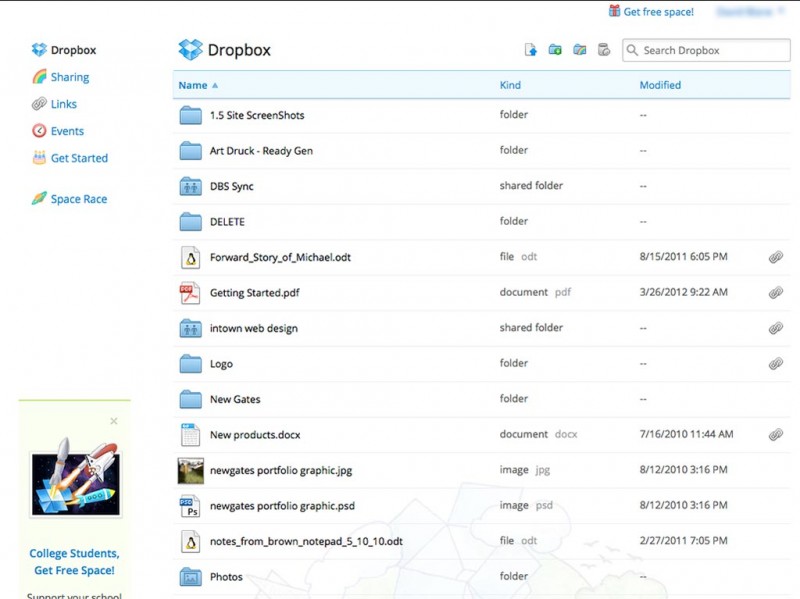
The simplest form of keeping computers and devices synced. Dropbox offers a one of a kind method of storing and sharing files called the Dropbox. Keep the files you need within it. You can even edit the files while they exist within the folder.
Updating your devices is automatic and stretches from your computer to your iPhone, Blackberry or Android phone. You can create folders with in the Dropbox folder and even share items within it to anyone you want.
Dropbox Facts:
- Drew Houston and Arash Ferdowsi founded Dropbox in 2007
- They are located in San Francisco, Ca
- Talented group of employees
- Over 4 Million people use Dropbox
- Dropbox is a favorite among the iPhone community
Dropbox Features & Plans:
Dropbox offers different sizes of the same plan. You get all the same service and convenient syncing features with the larger packages that you get with the free one. What they offer is good for people looking to
automatically sync multiple devices.
- Dropbox Basic - Free with 2GB
- Dropbox Pro 50 - $9.99/month for 50GB
- Dropbox Pro 100 - $19.99/month for 100GB
Dropbox Technical Features:
Sync over multiple operating systems, Up to 100GBs available, Any file size and type can be synced, Shared folders for multiple user access, Get a ‘public’ folder to share with anyone or on the web, Secure online backup to Dropbox servers, web access and more...
Dropbox Backup Support:
- Phone Support: No
- Email Support: Yes
- Ticket System: Yes
- Live Support Chat: No
- FAQ & Knowledge base: Yes
- Video Tutorials: Yes
- Blog: Yes
- Twitter: Yes
- Facebook: Yes
Photos